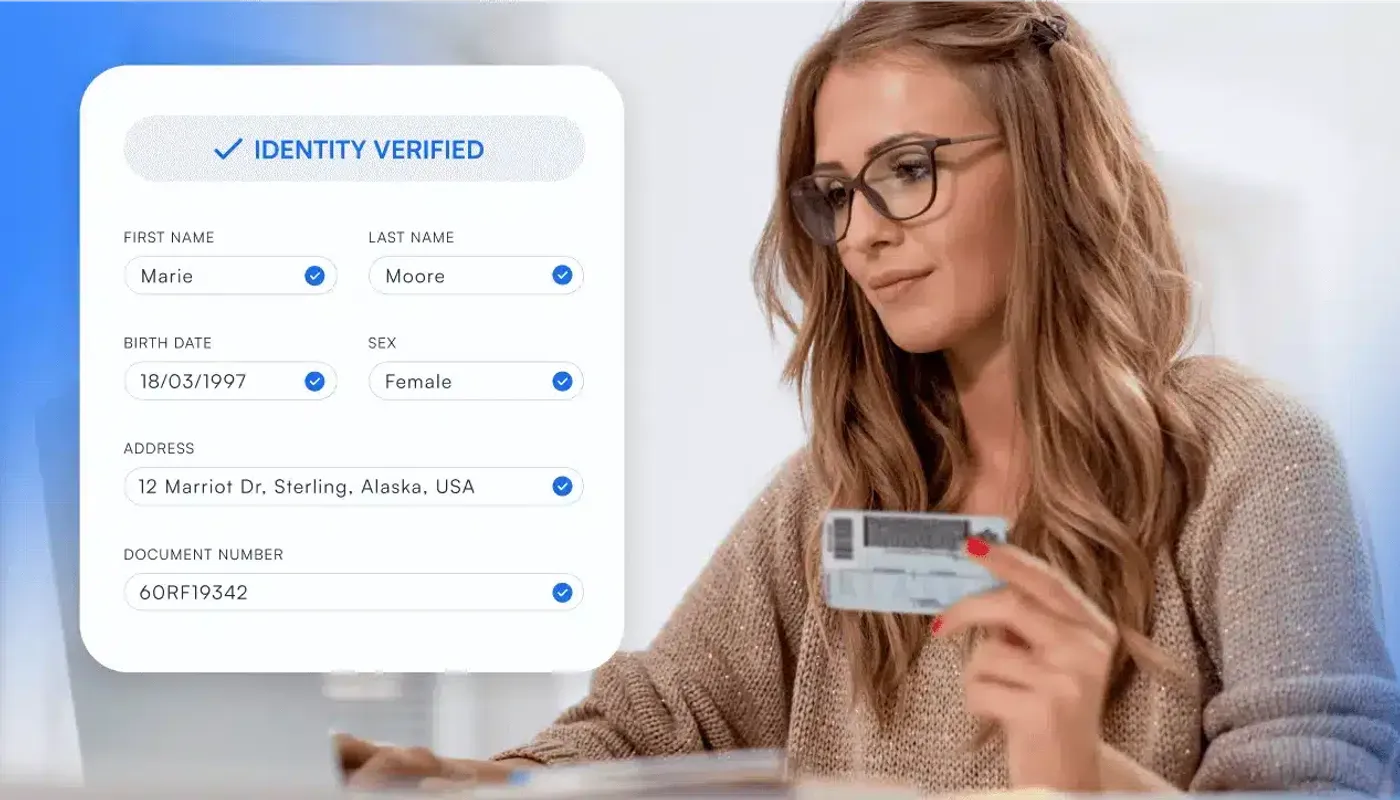
Customers increasingly expect to open accounts, access financial services, and register for digital platforms without visiting a physical location. Instant ID verification can help meet this demand for faster digital access. However, businesses still need to confirm that the identity exists, the document is genuine, the information belongs to the applicant, and the person completing the process is physically present.
This has become more difficult as identity fraud techniques grow more sophisticated. Stolen documents, replay attacks, synthetic identities, face swaps, virtual cameras, and deepfake videos can make fraudulent applications appear legitimate. Businesses therefore need verification processes that assess several independent identity and fraud signals rather than relying on a document image or selfie alone.
This guide explains how automated identity verification works, including document validation, OCR, NFC checks, biometric face matching, liveness detection, fraud analysis, automated decisioning, manual review, privacy requirements, and the features businesses should consider when choosing identity verification software. It also explains how to evaluate an ID verification system that balances speed, security, and compliance.
Binderr Automated Identity Verification Software
- AI-powered identity document verification across 230+ countries
- Support for 11,000+ identity document types
- OCR extraction of key identity data
- Biometric face matching with document photos
- Liveness and deepfake detection
What Is Automated Identity Verification?
Automated identity verification is the use of software to confirm that a customer’s identity information is genuine and belongs to the person completing an onboarding process. This process is also commonly described as automated ID verification. It can combine identity document validation, data extraction, biometric face matching, liveness detection, trusted-source checks, fraud signals, and risk-based decisioning.
The process replaces or reduces many of the repetitive checks traditionally completed by compliance or onboarding teams. A well-configured ID verification system can apply these checks consistently at scale. Instead of manually reading every document and comparing each photograph, a verification platform can extract information, test document authenticity, analyse biometric evidence, and apply predefined decision rules.
Verify Your First Customer Free
How Does Automated Identity Verification Work?
Automated identity verification workflows vary according to the customer type, jurisdiction, product, fraud exposure, regulatory requirements, and level of identity assurance required. An instant ID verification journey should still apply checks proportionate to the customer and risk involved.
Step 1. The Customer Enters Their Information
The automated identity verification process begins when the customer enters essential personal information into a digital onboarding form. This gives the automated ID verification workflow the initial data needed to assess the claimed identity. This may include their full legal name, date of birth, residential address, nationality, email address, phone number, and government identification number. These details create the initial customer identity profile that will later be compared with identity documents, trusted databases, and other verification evidence.
Businesses should follow data minimisation principles and collect only the information required for customer identity verification, KYC compliance, fraud prevention, and account creation. Long or intrusive forms can increase onboarding friction and customer abandonment, while excessive data collection creates additional privacy and security risks. A streamlined digital customer onboarding journey should therefore request the right information at the right stage.
Step 2. The Customer Captures an Identity Document
The applicant is asked to photograph or upload an accepted government-issued document, such as a passport, national identity card, driving licence, or residence permit. This document provides the primary identity evidence used by the automated ID verification system to confirm the customer’s name, photograph, date of birth, nationality, and other identifying information.
A user-friendly identity document verification interface should provide real-time guidance throughout the capture process. It can identify glare, blur, cropped edges, poor lighting, missing document sides, obstructions, and unsupported document types before submission. Immediate feedback helps customers correct image-quality problems quickly, reducing failed checks and improving the overall onboarding completion rate. This real-time guidance is an important part of instant ID verification.
Step 3. The System Extracts Document Data
Once the document is submitted, optical character recognition converts the visible text into structured customer data. OCR data extraction may capture the full name, document number, date of birth, expiry date, issuing country, nationality, and document type. The platform can also read barcode information and the machine-readable zone found on many passports and identity cards.
MRZ validation and check-digit analysis help identify inconsistencies between printed text, barcode data, and machine-readable information. This reduces manual data entry and accelerates real-time identity verification, but OCR alone cannot prove that a document is genuine. The ID verification system must still validate the underlying document and supporting evidence. Extracted data must still be tested against document templates, authenticity features, biometric evidence, and reliable external sources.
Step 4. The Document Is Checked for Authenticity
The identity verification software analyses the document to determine whether it matches the expected format for the issuing country and document version. It may examine document layout, fonts, spacing, holograms, security features, barcodes, MRZ structure, check digits, expiry status, and front-and-back consistency. These checks can reveal altered text, replaced portraits, manipulated dates, photocopies, or screen-captured documents.
Automated document validation produces authenticity signals and confidence scores rather than an absolute guarantee. Sophisticated forgeries may still require additional evidence or manual review. Strong automated identity verification therefore combines document authenticity checks with biometric identity verification, device intelligence, database validation, fraud indicators, and risk-based onboarding rules. Reliable automated ID verification evaluates these signals together rather than treating one successful check as conclusive proof.
Step 5. NFC or Chip Data May Be Verified
Compatible electronic passports and identity cards contain NFC chips that store digitally protected identity information. When the customer uses an NFC-enabled mobile device, the verification platform can retrieve signed document data, compare chip information with the printed document, and access a higher-quality version of the identity portrait.
NFC passport verification provides stronger identity evidence because chip data is protected through digital signatures and can be harder to alter than a photographed document. It may reveal inconsistencies between the physical document and its electronic record. However, businesses should provide alternative verification routes because not every document contains a chip and not every customer has a compatible device. Instant ID verification should remain accessible when NFC is unavailable or unsuccessful.
Step 6. A Live Facial Image Is Captured
The customer is asked to take a selfie or record a short video using their phone or computer camera. The automated identity verification system analyses the capture and converts relevant facial characteristics into a biometric template. This template can then be compared with the portrait stored on the customer’s identity document. The ID verification system uses this comparison as one part of the wider identity and fraud assessment.
Clear instructions for lighting, camera distance, facial positioning, and image quality help improve biometric identity verification results. Customers may be asked to remove sunglasses, hats, or other items that obscure important facial features. A smooth selfie identity verification process should collect a usable image without adding unnecessary steps or creating avoidable onboarding friction.
Step 7. Liveness and Attack Detection Are Performed
Liveness detection helps confirm that the biometric sample comes from a live person who is physically present during remote identity verification. This is a critical control within automated ID verification. Active liveness may ask the customer to blink, turn their head, follow an object, or complete another instructed action. Passive liveness analyses the facial capture in the background without requiring the applicant to perform a specific movement.
Modern systems should also assess presentation attacks and injection attacks. Presentation-attack detection looks for printed photographs, screen replays, masks, or pre-recorded videos placed in front of the camera. Injection-attack detection focuses on virtual cameras, face swaps, deepfake videos, edited selfie files, and manipulated media inserted directly into the capture process. These controls should be evaluated separately because detecting a physical spoof does not necessarily mean the platform can detect digitally injected content.
Step 8. The Face Is Compared With the Document Portrait
The platform performs one-to-one biometric matching between the customer’s live facial image and the portrait on the identity document. Facial biometric verification systems analyse the similarity between the two images and generate a facial similarity score or confidence score. This helps determine whether the person completing the application is likely to be the legitimate document holder.
Businesses must set appropriate acceptance, rejection, and manual-review thresholds. A low threshold can increase the false acceptance rate and allow fraudulent applicants to pass, while an overly strict threshold can increase the false rejection rate and block genuine customers. Thresholds should reflect customer risk, document quality, demographic performance, and the organisation’s tolerance for onboarding fraud.
Step 9. Additional Data and Fraud Signals Are Assessed
Document validation and biometric face matching can be strengthened with additional customer and fraud checks. These may include trusted database verification, phone and email checks, address verification, device intelligence, IP analysis, geolocation review, velocity checks, duplicate identity detection, reused document analysis, and previous fraud indicators.
These signals help identify risks that may not be visible in the document or selfie alone. For example, a customer may pass biometric identity verification, but the application could still require manual review if the same device has been linked to multiple identities or the IP location conflicts with the declared address. Device and behavioural intelligence should support reliable identity evidence rather than replace it.
Step 10. A Decision Is Made
The automated KYC verification platform combines document results, biometric scores, liveness findings, fraud indicators, and configured risk rules to determine the next action. This can enable instant ID verification for straightforward cases while escalating uncertain or higher-risk applications. A customer may be approved automatically, rejected, asked to recapture a selfie, requested to provide another document, required to complete NFC verification, or escalated for manual review or enhanced due diligence.
Every decision should be supported by a clear audit trail. The system should retain the evidence collected, checks performed, confidence scores, rules triggered, escalation reasons, reviewer actions, decision timestamps, and approval or rejection rationale. This allows the organisation to demonstrate consistent risk-based onboarding, explain customer outcomes, and support internal audits or regulatory reviews.
Binderr connects customer data collection with automated risk assessment. Information gathered during identity verification can flow directly into the customer’s risk profile, helping compliance teams make faster approval, escalation, and enhanced due diligence decisions without re-entering data across separate systems.
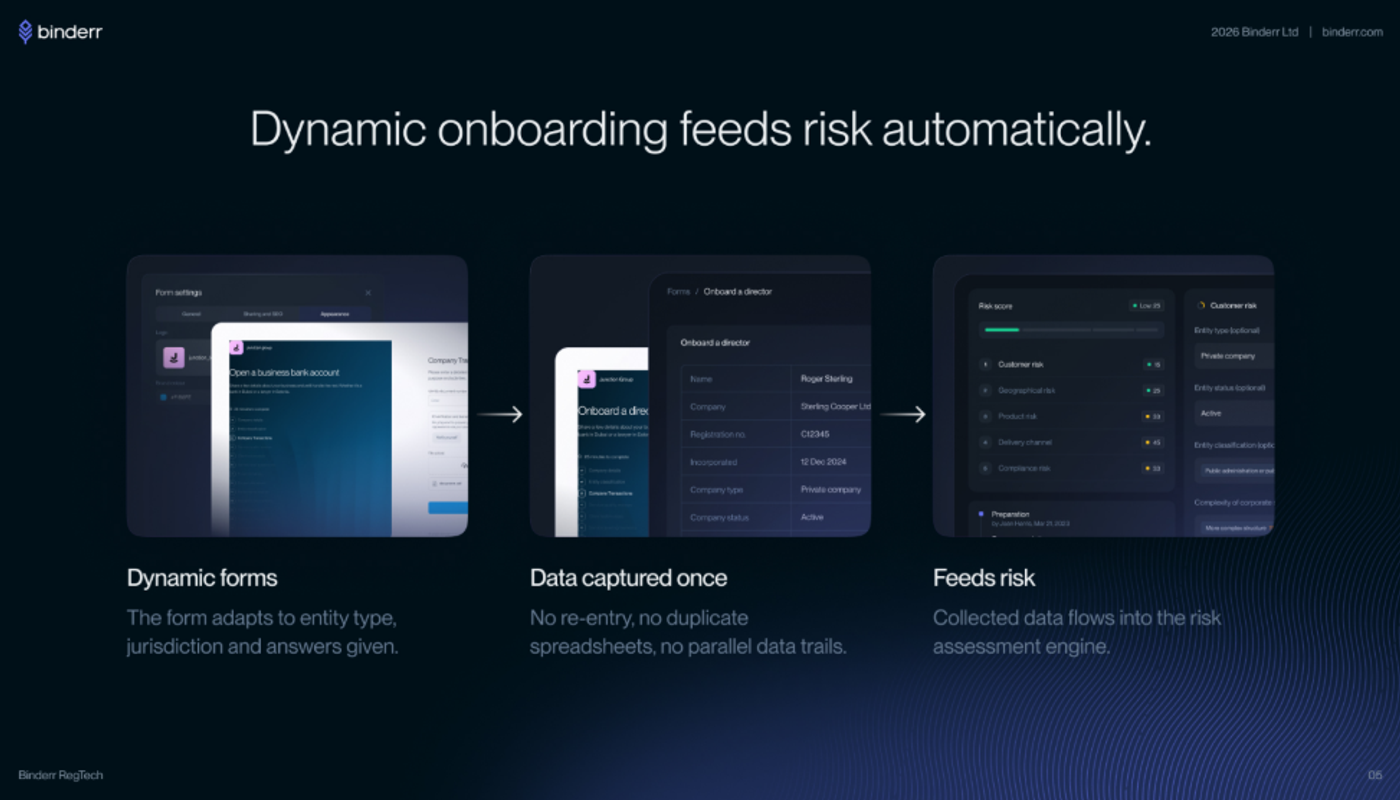
(Binderr captures onboarding information once and uses it to support automated risk scoring and risk-based customer decisions.)
Simplify the Automated ID Verification Process with Binderr
With Binderr, businesses can:
- Capture identity documents digitally
- Extract and validate data using OCR
- Match selfies with document photos
- Perform liveness and fraud checks
- Escalate high-risk cases for review
What Fraud Can Automated Identity Verification Detect?
Automated identity verification can detect many forms of identity fraud, but no single control is completely reliable. A resilient ID verification system therefore combines document, biometric, technical, database, and behavioural signals.
Forged Identity Documents
Forged identity documents may be entirely fabricated or created by altering genuine passports, identity cards, driving licences, or residence permits. Automated document verification can identify suspicious names, changed dates of birth, replaced portraits, modified expiry dates, manipulated document numbers, copied security features, and inconsistent machine-readable data by using document-template analysis, barcode checks, MRZ validation, image forensics, and authenticity scoring. These checks strengthen the wider automated ID verification process.
Stolen or Borrowed Documents
A stolen or borrowed document may pass basic document authenticity checks because the identity evidence itself is genuine. Biometric identity verification helps detect this type of impersonation by comparing the applicant’s live selfie with the document portrait, while liveness detection confirms that the facial sample comes from a real person physically present during the customer onboarding process.
Presentation Attacks
Presentation attacks attempt to deceive facial biometric verification by placing a physical or displayed artefact in front of the camera. Presentation-attack detection analyses texture, depth, reflections, movement, image quality, and capture behaviour to identify printed selfies, screen-displayed photographs, video replays, pre-recorded facial movements, masks, and three-dimensional face models.
Injection Attacks and Deepfakes
Injection attacks bypass the physical camera by inserting manipulated media directly into the identity verification workflow. Fraudsters may use virtual cameras, deepfake videos, face-swap applications, edited selfie files, compromised devices, or substituted video feeds, making injection-attack detection and deepfake detection essential additions to traditional liveness and presentation-attack controls.
Synthetic Identity Fraud
Synthetic identity fraud combines genuine, stolen, altered, and fabricated information to create a customer profile that appears legitimate. Detecting these identities often requires more than document validation and selfie verification, using authoritative database checks, device intelligence, duplicate detection, cross-application analysis, account-linking signals, transaction behaviour, and ongoing customer monitoring.
Duplicate and Multi-Account Fraud
Duplicate and multi-account fraud occurs when one person or fraud network creates several accounts using slightly different personal details, documents, phone numbers, or email addresses. Automated identity verification software can compare biometric templates, device identifiers, document images, addresses, payment methods, IP information, and contact details to uncover hidden links between apparently unrelated applications.
Try Advanced Identity Fraud Detection with Binderr
Modern identity fraud includes deepfakes, replay attacks, synthetic identities, and manipulated media designed to bypass basic checks.
Binderr strengthens fraud detection by combining:
- AI-powered document verification
- Biometric face matching
- Liveness detection checks
- Deepfake and media analysis
- Real-time fraud risk signals
Automated Identity Verification and KYC Compliance
Automated identity verification strengthens KYC compliance by helping businesses validate customer information, confirm document authenticity, and reduce impersonation risk during digital onboarding. When embedded in a well-governed ID verification system, these checks can improve speed without weakening risk-based controls.
Identity Verification as Part of Customer Due Diligence
Identity verification is a core part of customer due diligence because regulated businesses must establish who the customer is and verify that identity using reliable, independent evidence. Automated ID verification can streamline this stage, but it does not replace the remaining CDD obligations. A complete CDD process may also involve understanding the purpose of the relationship, conducting sanctions and PEP screening, checking adverse media, assessing customer risk, reviewing source of funds, keeping an audit trail, applying ongoing monitoring, and performing enhanced due diligence when higher-risk indicators are present.
Applying a Risk-Based Approach
A risk-based approach allows organisations to adjust automated KYC verification according to the customer, product, jurisdiction, transaction exposure, and quality of the identity evidence. Standard-risk applicants may complete document and biometric verification automatically, while elevated-risk cases may require NFC document checks, additional evidence, video verification, manual review, stronger authentication, reverification, or enhanced due diligence, with the reason for each control clearly documented. This allows instant ID verification for suitable applicants while preserving stronger checks for higher-risk cases.
NIST Identity Assurance Levels
NIST Identity Assurance Levels provide a structured way to decide how much confidence a business needs in a customer’s claimed identity before granting access to a service. The framework considers identity evidence strength, document validation, biometric performance, fraud controls, privacy safeguards, customer support, and alternative proofing routes, helping organisations apply stronger identity proofing to high-risk financial services without creating unnecessary onboarding friction for lower-risk activities.
GDPR and Biometric Data
Facial biometric verification may involve special-category personal data under EU and UK data-protection rules, making privacy governance a critical part of automated identity verification. Organisations should establish an appropriate lawful basis, apply data minimisation, protect biometric templates, define retention and deletion periods, explain how automated decisions are made, assess vendors and international transfers, support data-subject rights, and complete a data protection impact assessment where the processing creates significant privacy risks.
EU Digital Identity Wallets in 2026
EU Digital Identity Wallets are expected to give individuals and businesses greater control over how verified digital credentials and identity attributes are shared with service providers. These wallets may streamline digital customer onboarding by reducing repeated document capture and enabling selective data sharing, but businesses will still need to validate credential issuers, assess customer risk, complete sanctions and AML screening, support traditional document verification where necessary, and maintain conventional KYC controls when wallet coverage or assurance is insufficient.
A customer who passes automated ID verification at onboarding may present new risks later. Binderr keeps forms, risk assessments, ongoing screening, customer profile changes, and compliance reporting connected around the same client record, allowing teams to respond when risk information changes.
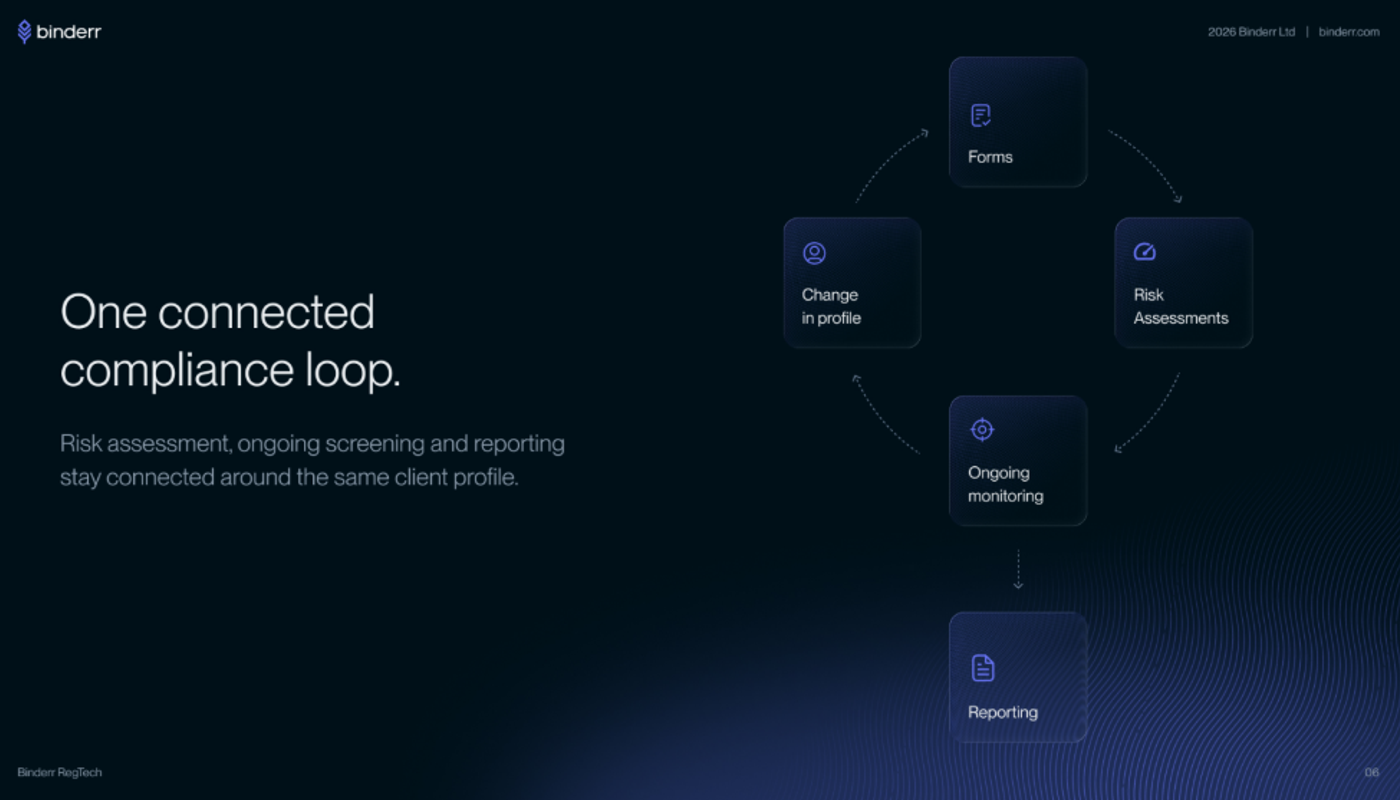
(Binderr creates a connected compliance loop across onboarding, risk assessment, ongoing monitoring and reporting.)
Manage KYC Compliance in One Place
How to Choose an Automated Identity Verification Solution
Choosing the right automated identity verification solution requires more than comparing headline features. The right ID verification system should support secure automated ID verification across the complete onboarding journey.
Global Document Coverage
A strong identity verification platform should support the countries, languages, and identity documents used by both current and future customers. Review passport, national ID card, driving licence, residence permit, script, and character-set coverage, while confirming how frequently document templates are updated, since broad advertised coverage may still offer limited authentication checks for older or less common document versions.
Document Authenticity Checks
Document authenticity checks should go beyond OCR data extraction to determine whether an identity document appears genuine, unaltered, and valid. This is essential for automated ID verification because accurate text extraction does not prove that the underlying document is authentic. Look for MRZ and barcode validation, document-template matching, expiry checks, security-feature analysis, front-and-back consistency, image-forensics controls, tampering detection, check-digit verification, and portrait substitution analysis across each supported document type.
NFC Verification
NFC verification can strengthen digital identity verification by reading cryptographically protected data from compatible electronic passports and identity cards. Businesses should confirm which documents and mobile devices are supported, whether chip signatures are validated, how electronic data is compared with printed information, and whether customers can continue through an alternative verification route when an NFC read fails. A flexible fallback can preserve instant ID verification when chip reading is unavailable.
Biometric Matching Accuracy
Facial biometric verification should be evaluated using real performance data rather than one promotional accuracy percentage. Ask about false acceptance rates, false rejection rates, demographic performance, image-quality requirements, testing conditions, configurable matching thresholds, manual-review ranges, and continuous monitoring to understand how reliably the system performs across different customers and onboarding environments.
Liveness and Injection-Attack Detection
Effective liveness detection should identify more than simple printed-photo attacks. Assess whether the solution uses active or passive liveness, detects screen replays, masks, virtual cameras, face swaps, deepfakes, and digitally injected media, evaluates presentation and injection attacks separately, follows standards such as ISO/IEC 30107-3, and can provide recent independent testing evidence.
Manual-Review Tools
Automated identity verification software should include a structured manual-review process for uncertain, disputed, or higher-risk applications. The ID verification system should connect automated checks and human investigation within the same case workflow. Reviewers need access to identity evidence, failed checks, biometric scores, fraud signals, notes, information requests, escalation controls, and decision overrides in one case view, with every action preserved in a complete audit trail.
Automated decisions should not prevent analysts from understanding why a customer was flagged. Binderr provides transparent screening results, configurable risk controls, and clearer match information so reviewers can prioritise meaningful risks instead of spending time investigating weak or irrelevant alerts.
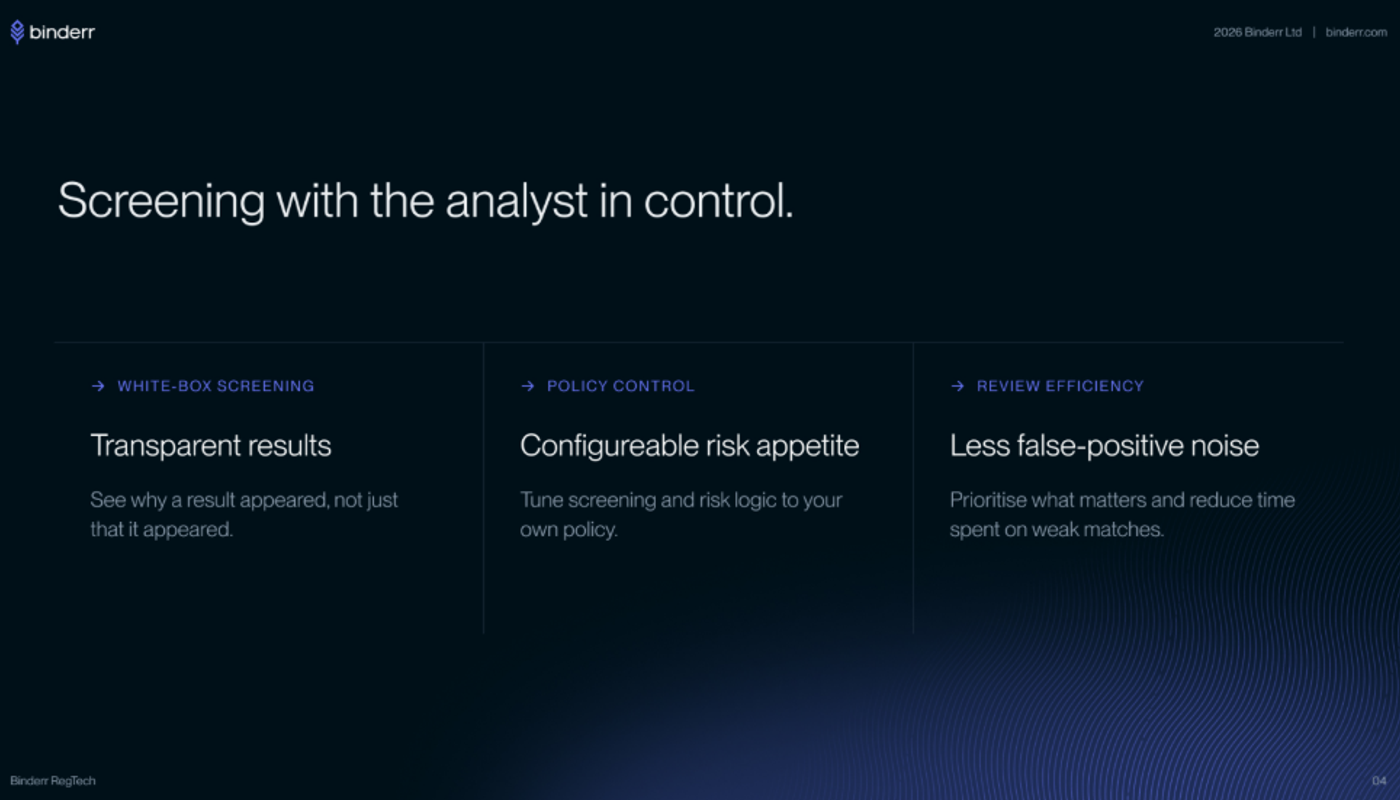
(Binderr helps analysts understand screening results, adjust risk logic, and focus manual review on the most relevant matches.)
Configurable Risk Workflows
Configurable workflows allow businesses to apply proportionate verification controls instead of forcing every customer through the same journey. The platform should support customer segments, jurisdiction-specific rules, product-based checks, risk thresholds, additional document requests, manual escalation, enhanced due diligence triggers, reverification, and ongoing monitoring without requiring major technical changes.
KYC and AML Integration
The most useful identity verification solutions connect document and biometric checks with the wider KYC and AML compliance process. This turns automated ID verification into part of a broader compliance workflow rather than an isolated check. Look for integrated sanctions screening, PEP checks, adverse media screening, customer risk scoring, CDD, EDD, case management, ongoing monitoring, reporting, and audit trails so compliance teams can manage customer risk without moving data between disconnected tools.
API and SDK Experience
A flexible API and SDK environment can reduce implementation time and create a smoother digital customer onboarding experience. Evaluate web and mobile SDKs, API documentation, webhooks, hosted verification links, embedded journeys, branding controls, testing environments, error handling, developer support, and the ability to customise workflows without excessive development effort.
Automated identity verification is more valuable when results can flow into the organisation’s CRM, customer portal, case management system, or internal reporting tools. Binderr supports integrations through Zapier and a full API, helping businesses connect onboarding and compliance workflows without replacing their complete technology stack.
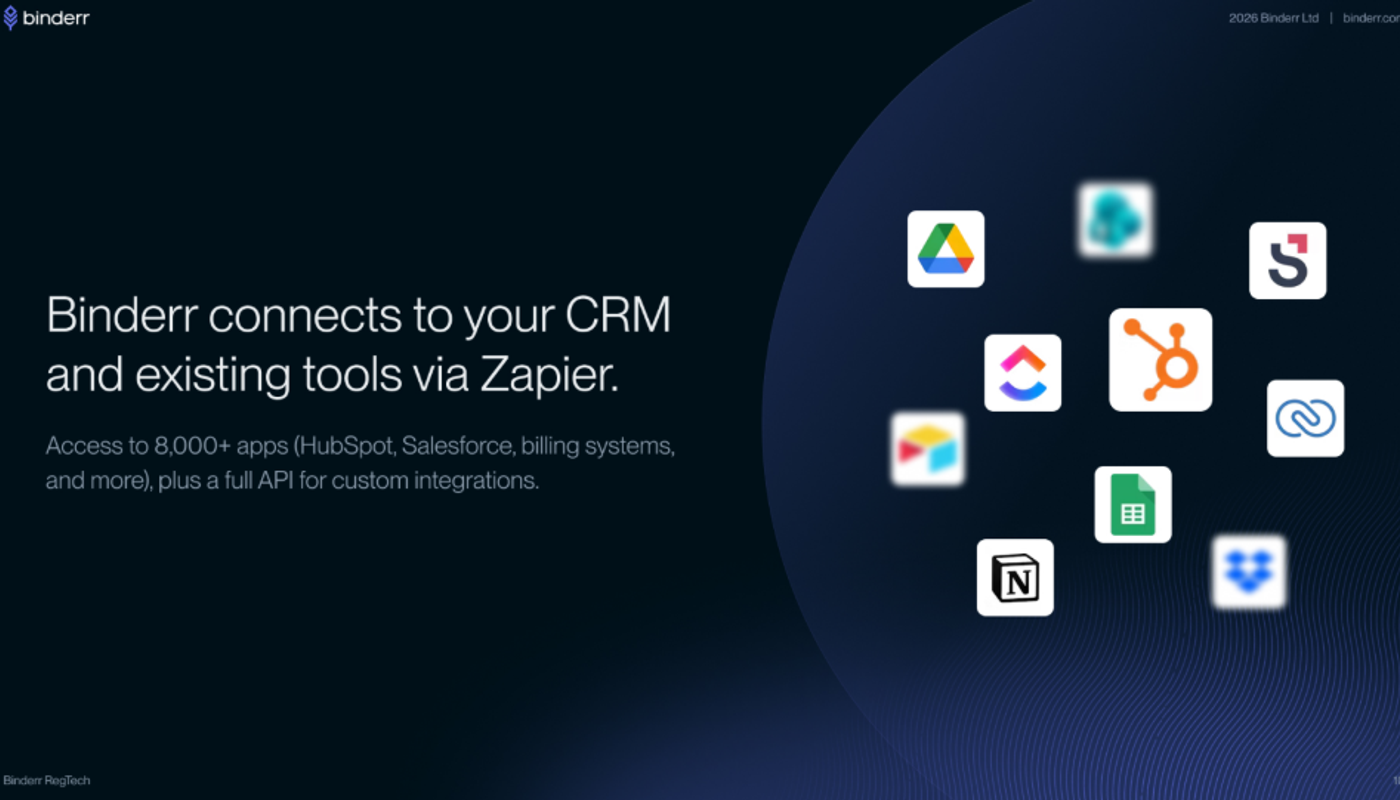
(Binderr can connect compliance workflows with CRM, productivity, reporting, and operational tools through Zapier and custom API integrations.)
Privacy and Security Controls
Identity documents, facial images, and biometric templates require strong privacy and security protections throughout their lifecycle. Providers should offer encryption in transit and at rest, role-based access, configurable retention, secure deletion, audit logs, data-location options, subprocessor transparency, incident response, security testing, business continuity, and clear explanations of what customer data is stored and for how long.
Make Identity Verification Simple with Binderr
How Much Does Automated Identity Verification Cost?
Automated identity verification typically costs anywhere from under €1 per basic check to several euros per fully featured verification, depending on volume, features, and provider. The total cost of an ID verification system also depends on whether instant ID verification features such as liveness, biometrics, NFC, fraud checks, and AML screening are bundled or charged separately. Subscription-based platforms like Binderr offer more predictable pricing, starting from €99 per month, which can be more cost-effective for growing businesses compared to per-check pricing models that scale with usage.
Automated Identity Verification Pricing Comparison
The table below compares publicly available pricing information as of 21 July 2026. Prices are not directly equivalent because providers include different document, biometric, fraud prevention, AML, and support features within their plans.
Provider | Pricing model | Published pricing | Minimum commitment | Free access or demo |
Binderr | Subscription based on usage and compliance needs | Starter from €99; Pro from €349 | Depends on the selected plan and usage | Free account and free credits; no credit card required |
Onfido, now part of Entrust | Custom and volume-based enterprise pricing | Not publicly displayed | Confirm with sales | Demo available; contact sales for pricing |
Sumsub | Per-verification and enterprise pricing | Basic from $1.35 per verification; Compliance from $1.85 per verification | $149 monthly for Basic; $299 monthly for Compliance | Free signup available; enterprise pricing is customised |
Jumio | Custom pricing based on products, volume, and requirements | Not publicly displayed | Confirm with provider | Demo available through the sales team |
Ondato | Volume-based, per-completed-verification pricing | Approximately €1.40 to €0.50 per verification, depending on volume | Depends on volume and selected features | Demo available; incomplete verifications are not charged |
Binderr: Complete Compliance and Customer Onboarding Solution
Binderr brings the complete compliance process into one platform:
- KYC and KYB verification in one workflow
- AML screening for sanctions, PEPs, and watchlists
- Dynamic customer risk scoring
- CDD and EDD for risk-based onboarding
- Ongoing monitoring and alerts
Bottom Line
Automated identity verification can speed up onboarding, reduce manual work, and strengthen fraud prevention when it combines document validation, biometric matching, liveness detection, and risk-based controls. A well-designed automated ID verification process can also provide instant ID verification for straightforward applications without weakening scrutiny.
Businesses should also protect biometric data, maintain clear audit trails, provide manual-review routes, and connect identity checks with sanctions screening, customer risk assessment, CDD, EDD, and ongoing monitoring. The ID verification system should support these controls across the full customer lifecycle.
Binderr brings identity verification, AML screening, risk scoring, and ongoing monitoring into one streamlined platform. This gives businesses access to automated ID verification within a wider compliance workflow. Businesses can create a free account, access free credits, and test the workflow without entering a credit card.

-360x240.webp?w=3840&q=75)
-1-360x240.webp?w=3840&q=75)